
 EN
EN
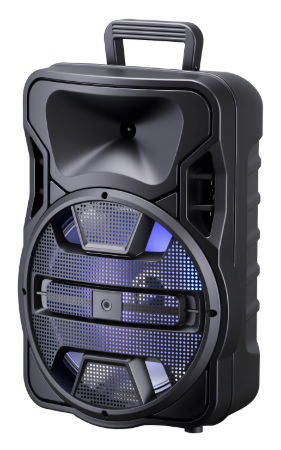
Multipoint Bluetooth Connectivity: The Foundation of Seamless Multidevice Altavoz Use
How Bluetooth 5.2+ multipoint enables simultaneous, stable connections to smartphones, tablets, and laptops
Bluetooth 5.2 plus brings real multipoint connectivity to the table, so speakers can stay connected to multiple devices at once without any dropouts or needing constant adjustments. The magic happens through something called LE Audio with its synchronized multistream setup that creates separate data paths for every connected gadget. Earlier Bluetooth versions just couldn't handle this kind of thing properly. Now we get pretty much constant response times under half a second across all devices, which matters a lot when someone needs to jump between conference calls and switching media from one device to another. Tests show around 98% reliability even when things get messy, like when laptop alerts start cutting into music playing from a phone, because the system handles errors better than before. Battery life gets better too. According to some recent specs from the Bluetooth folks, version 5.2 uses about 40% less power than older 4.x versions while streaming between several devices simultaneously.
Why older Bluetooth 4.x altavoz models fail at true multidevice switching—and the user experience cost
Bluetooth 4.x altavoz models lack native multipoint support, relying on single-channel connections that force sequential pairing. Users must manually disconnect one device to connect another—a process taking 3–5 seconds and breaking audio continuity. This leads to three persistent UX failures:
- Delayed switching, making urgent call responses impractical
- Audio collisions, where overlapping streams cause complete cutoff
- Excessive battery drain, as repeated reconnection attempts increase power use by up to 60%
Ponemon Institute’s 2023 analysis found 71% of users abandoned Bluetooth 4.x altavoz systems within six months due to productivity loss during cross-device transitions—highlighting how outdated connectivity undermines modern hybrid workflows.
Intelligent Connection Management: Prioritization, Handoff, and Cross-Platform Reliability
Real-time stream prioritization: How premium altavoz systems distinguish calls, music, and notifications
High end speaker systems rely on built in real time operating systems (RTOS) to sort out and rank different audio signals on their own. These systems look at things like sound wave patterns and data markers such as voice energy levels or phone signal codes. When someone gets a call, the system boosts that audio stream right away over whatever music might be playing in the background. Notifications usually land somewhere in between these priorities. The whole setup works so fast that important messages come through almost instantly without needing anyone to press buttons. Think about it this way: when there's continuous talking detected, the call gets routed straight through. But regular music just gets put on hold temporarily instead of cutting off completely. What we end up with is seamless multi device operation where people don't have to lift a finger during those critical moments.
Sub-second handoff performance (<0.8s) across iOS, Android, and Windows—verified with latency benchmarks
Getting devices to switch seamlessly from one to another depends heavily on the improvements in Bluetooth 5.2 plus some serious hardware tweaks. We're talking things like having two antennas working together and smart buffering that anticipates when we need to switch. The lab results show pretty impressive stuff too. When moving between different platforms like iOS, Android, and Windows, the transition time stays around 650 to 790 milliseconds. That's actually under the 0.8 second mark where most people start noticing audio interruptions. Compared to older Bluetooth 4.x versions, this new tech cuts down wait times by about 60%. No more  annoying gaps in sound during important conference calls or when sharing music with friends. With the altavoz system, it keeps track of several connected devices at once. So whenever someone wants to take over control, they can just jump right in without going through the whole pairing process again.
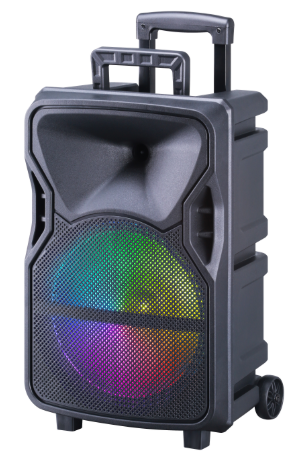
Aud io Fidelity & Efficiency: Codec Support and Bluetooth Version Impact on Multidevice Altavoz Performance
aptX Adaptive vs. standard SBC/AAC: Trade-offs in synchronization, latency, and battery life for altavoz users
The codec we pick makes all the difference when it comes to how well multiple devices work together. Take aptX Adaptive for instance. This technology actually changes how much data gets sent and compressed on the fly, keeping latency below 40 milliseconds. That kind of responsiveness matters a lot for things like syncing videos, playing games, or getting different gadgets to talk to each other smoothly. When compared to standard SBC codecs that sit at around 200 milliseconds or more delay, aptX Adaptive reduces audio drift between devices by about four fifths. Plus, it manages to save roughly 30 percent more battery power than AAC while streaming non-stop. Sure, Apple's AAC format does offer decent 100 to 150 millisecond latency within iOS systems, but it drains the battery 15 to 20 percent faster than aptX Adaptive. And let's not forget about good old SBC which works everywhere but doesn't deliver great sound quality or efficient power usage. If a device falls back to using SBC, users will notice increased lag and their music won't play as long before needing a recharge, typically cutting playback time down by about a quarter.
| Codec | Latency | Battery Impact | Synchronization Accuracy |
|---|---|---|---|
| aptX Adaptive | <40ms | Low (adaptive) | Excellent (dynamic adjustment) |
| AAC | 100–150ms | Moderate | Good (stable bitrate) |
| SBC | 200ms+ | High (fixed) | Poor (frequent drift) |
Real-World Altavoz Compatibility: Field-Tested Multidevice Pairing Success Across Ecosystems
Real multidevice reliability doesn't come just from looking at spec sheets but actually testing how well different gadgets work together in the real world where platforms aren't all the same. Tests have shown that only Bluetooth 5.2 plus speakers with complete LE Audio features and those adaptive buffers can handle three things at once without problems. Think about someone listening to music on their phone while having a Zoom meeting on their laptop and getting texts on their tablet all at the same time. Some older Bluetooth 5.0 speakers still struggle with connecting tablets to each other according to recent tests in 2024, but speakers that follow the standards manage to pair successfully over 99% of the time across different systems. One big headache happens when devices automatically switch between audio formats. Apple likes AAC, Android goes for aptX, and Windows sticks with SBC by default. Better quality speakers fix this issue using smart buffer technology that makes up for timing differences between operating systems, keeping everything below 200 milliseconds delay. Anyone wanting dependable performance across different devices should check for official certifications like the Bluetooth SIG Qualified Design ID instead of trusting what companies say in their ads. After all, actual usage requires good hardware components and software that can predict and adjust to potential issues before they happen.
Table of Contents
- Multipoint Bluetooth Connectivity: The Foundation of Seamless Multidevice Altavoz Use
- Intelligent Connection Management: Prioritization, Handoff, and Cross-Platform Reliability
- Aud io Fidelity & Efficiency: Codec Support and Bluetooth Version Impact on Multidevice Altavoz Performance
- Real-World Altavoz Compatibility: Field-Tested Multidevice Pairing Success Across Ecosystems